In the ever-evolving world of Minecraft, finding a reliable and cost-effective way to host your own server can be a game-changer. Enter Squid Servers, the innovative desktop application that’s making waves among gamers by simplifying self-hosting like never before. With over 566,000 servers started and more than 73,000 users embracing this tool, Squid Servers offers a seamless experience that eliminates common hurdles such as port forwarding and complex setups. Whether you’re a beginner looking to play with friends or an advanced user configuring a public realm, this free solution promises stability, control, and endless fun without breaking the bank.
What Are Squid Servers?
Squid Servers is a user-friendly desktop app designed specifically for Minecraft enthusiasts who want to host their own servers effortlessly. Unlike traditional hosting services that often come with monthly fees or limitations, Squid Servers leverages your computer’s resources to create a personal server environment. It’s compatible with Windows, macOS, and Linux, ensuring broad accessibility for gamers worldwide. This tool stands out by automating the entire setup process, allowing you to dive straight into building and exploring without technical headaches.
Key Features That Set Squid Servers Apart

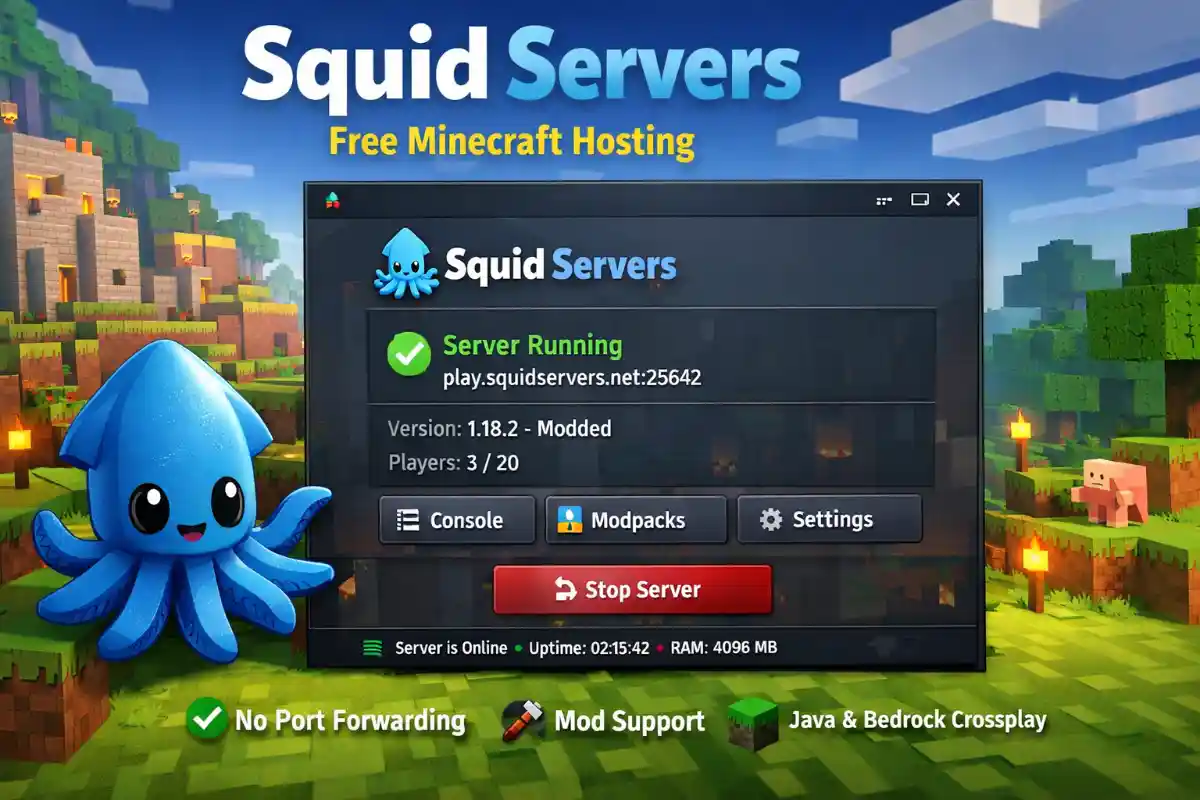
One of the standout aspects of Squid Servers is its robust feature set tailored to enhance your Minecraft experience. Built-in tunneling via integrated services means no port forwarding is required, making it ideal for users behind firewalls or restrictive networks. It supports thousands of modpacks from platforms like Modrinth and allows custom installations through CurseForge, opening up a world of modifications. Additionally, Squid Servers enables Bedrock Edition compatibility and crossplay between Java and Bedrock using GeyserMC, bridging the gap for players on different platforms.
World persistence is another key highlight—your server stays online even if you log off, ensuring continuous progress for your community. With automatic Java installation assistance for versions 17 and higher, and recommendations for at least 4GB of RAM (8GB for modded servers), Squid Servers caters to both casual and intensive gaming sessions.
How Do Squid Servers Work?
Getting started with Squid Servers is remarkably straightforward. Download the app from the official site, and it guides you through creating a server in minutes. The application runs in the background on your computer, hosting the server locally while using tunneling to make it accessible online. This self-hosting model means the server operates only when your machine is powered on, giving you full ownership and control. For optimal performance, while port forwarding isn’t mandatory, it’s suggested for reduced latency in larger groups.
Whether you’re setting up a vanilla server or diving into modded adventures, Squid Servers handles configurations automatically, saving you time and effort compared to manual setups.
The Benefits of Choosing Squid Servers
Opting for Squid Servers brings a host of advantages that elevate your gaming setup. Foremost is the cost savings—being entirely free with no hidden charges, it outshines paid alternatives that can rack up expenses over time. Users report stable, lag-free connections, a stark contrast to some free hosts plagued by downtime or performance issues. The sense of ownership is empowering; you control every aspect, from mods to player access, without relying on third-party providers.
Moreover, Squid Servers fosters community building by supporting unlimited playtime—no arbitrary limits like four-hour sessions found in some competitors. Endorsed by popular creators with hundreds of thousands of subscribers, it’s proven reliable for everything from small friend groups to expansive public servers.
Comparing Squid Servers to Other Options
When stacked against alternatives, Squid Servers consistently comes out on top. Unlike paid services that demand subscriptions, or free options with lag and restrictions, it offers a balanced, feature-rich experience. For instance, while some tools require manual port forwarding or lack mod support, Squid Servers provides automatic setup, stability, and versatility in one package. This makes it a go-to choice for gamers seeking efficiency without compromise.
Frequently Asked Questions About Squid Servers
Is Squid Servers truly free? Absolutely—there are no fees or upsells involved. Do you need to port forward? No, thanks to built-in tunneling, though it’s recommended for the best experience. Can it handle mods? Yes, it supports a wide range from popular sources. Is it a 24/7 solution? It runs as long as your computer is on, perfect for on-demand hosting. What about system requirements? A modern OS with sufficient RAM and Java will do the trick.
In conclusion, Squid Servers is transforming how gamers approach Minecraft hosting, blending ease, power, and affordability into a single app. If you’re tired of limitations and ready for unrestricted creativity, this tool could be your next big discovery in the Minecraft universe.